



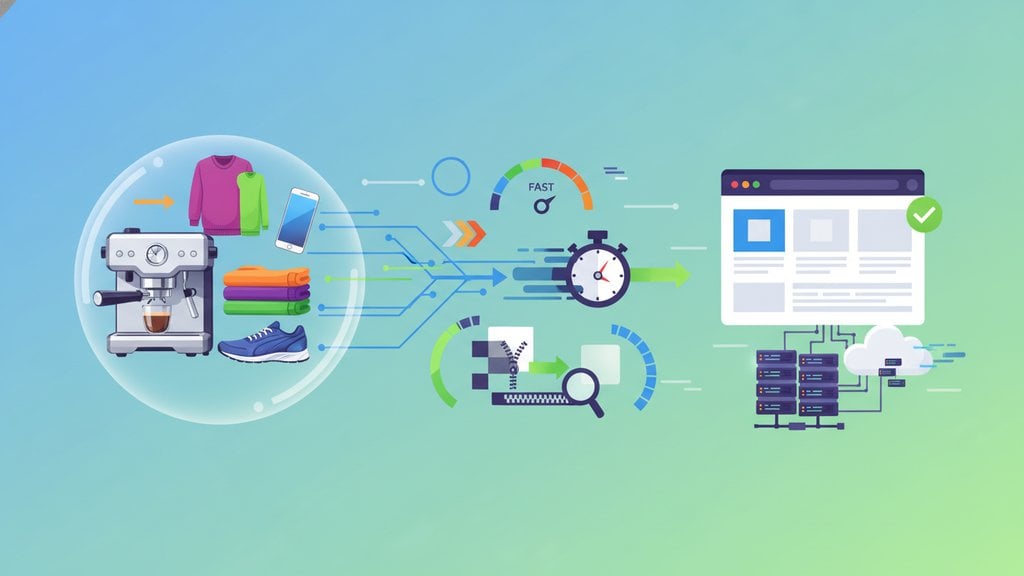
Image optimization for ecommerce is the process of reducing your product image file sizes without killing visual quality, so your pages load fast and your shoppers actually stay long enough to buy. Done right, it directly improves both your Google rankings and your conversion rate because slow product pages lose customers before they even see the "Add to Cart" button.
Content Table
Why Image Optimization Matters for Ecommerce
Images typically account for 50 to 75 percent of total page weight on a product page. A single unoptimized hero shot can easily clock in at 3 to 5 MB. Multiply that across a gallery of six images and you have a page that takes 8 to 12 seconds to load on a mobile connection. According to Google's research on page speed , the probability of a bounce increases by 32 percent as page load time goes from 1 to 3 seconds.
Beyond bounce rates, Google's Core Web Vitals use Largest Contentful Paint (LCP) as a ranking signal, and on product pages the LCP element is almost always a product photo. Slow images hurt SEO and sales at the same time.
Best Image Format for Ecommerce
Choosing the right format is the single highest-leverage decision you can make. Here is how the main options stack up for online stores:
| Format | Best For | Typical Size vs. JPEG | Browser Support |
|---|---|---|---|
| JPEG / JPG | Product photos with complex color gradients | Baseline | Universal |
| WebP | Most product images, replaces JPEG and PNG | 25-35% smaller | 95%+ (all modern browsers) |
| AVIF | Next-gen compression, highest quality-to-size ratio | 40-50% smaller | ~90% (Chrome, Firefox, Safari 16+) |
| PNG | Logos, icons, images needing transparency | Larger (lossless) | Universal |
| GIF | Simple animations only | Very large for photos | Universal |
WebP is the practical default for most ecommerce stores right now. It gives you dramatically smaller files than JPEG with comparable visual quality, and browser support is effectively universal. AVIF is better on paper but encoding is slower and support on older devices is still catching up. For a deeper breakdown of when to use each format, the ultimate guide to image formats covers every scenario in detail.
<picture>
</picture>
element. This covers the rare older browser without any extra effort on your end.
Product Image Size Guide
Uploading a 5000×5000 pixel image when your product grid only displays it at 400×400 pixels is pure waste. Here are sensible dimensions for the most common product page placements:
- Product thumbnail (grid/category page): 400×400 to 600×600 px
- Main product image (PDP hero): 1000×1000 to 1500×1500 px (square crops work best for zoom functionality)
- Zoom / full-resolution view: 2000×2000 px maximum; beyond that you are wasting bandwidth
- Banner / lifestyle header: 1920×600 to 1920×800 px
- Cart / checkout thumbnail: 100×100 to 200×200 px
For the best image size for an online store, aim to keep your main product image file under 150 KB after compression. Thumbnails should be under 30 KB. These targets are achievable with modern formats and a quality setting around 80 to 85.
srcset
, but only to those screens. Sending a 2x image to a standard display doubles the file size for zero visual gain.
Image Compression for Ecommerce
Compression is where most of the file size savings actually happen. You have two modes to choose from, and the right pick depends on what you are compressing:
- Lossy compression discards some image data to achieve much smaller files. A quality setting of 80 to 85 is virtually indistinguishable from the original to the human eye but cuts file sizes by 60 to 80 percent. This is the right choice for product photos.
- Lossless compression keeps every pixel intact while removing metadata and redundant data. File sizes are larger than lossy but identical in quality. Best for logos, icons, and images where pixel accuracy matters.
Not sure which mode to use? The lossy vs lossless compression guide walks through the trade-offs with real examples.
For bulk compression, imgdeal's Image Compressor handles up to 50 files at once, supports JPG, PNG, WebP, and GIF, and lets you dial in a quality level from 10 to 100 (default 82, which is a solid starting point for product photos). You can also toggle lossless mode for any format where that makes sense.
Compression Workflow for a Product Launch
- Export product photos from your editing software at maximum quality (no in-app compression yet).
- Convert to WebP using a batch converter.
- Run through a compressor at quality 80 to 85 (lossy) for photos, or lossless for any PNG logos.
- Check file sizes: hero images should be under 150 KB, thumbnails under 30 KB.
-
Upload to your store. Use
srcsetto serve the right size per breakpoint.
File Naming and Alt Text
These two things cost you nothing to fix and directly affect search visibility. Search engines cannot see images; they read the file name and alt text to understand what is in the photo.
-
File names:
Use descriptive, hyphen-separated names.
blue-leather-wallet-mens-bifold.webpbeatsIMG_4821.jpgevery time. -
Alt text:
Describe what is actually in the image, including the product name and a relevant attribute. Example:
alt="Men's slim bifold wallet in navy blue leather, open showing card slots". Keep it under 125 characters. - No keyword stuffing: Alt text is for accessibility first. Screen readers use it. Write for a person who cannot see the image.
For a full breakdown of how image metadata, alt text, and file structure affect rankings, the image SEO guide covers every technical detail.
Lazy Loading and CDN Delivery
Even perfectly compressed images can slow down a page if they all load at once. Two techniques fix this:
Lazy loading
tells the browser to only load images when they are about to enter the viewport. Adding
loading="lazy"
to any
<img/>
tag below the fold is a one-line change that can cut initial page load time significantly. The
MDN lazy loading documentation
explains the browser behavior in detail. Note: never lazy-load your above-the-fold hero product image, since that would hurt LCP.
CDN (Content Delivery Network) serves your images from a server geographically close to each visitor. A shopper in Tokyo loading images stored on a US server adds 150 to 300 ms of latency per image. Shopify, BigCommerce, and WooCommerce with a CDN plugin handle this automatically, but it is worth confirming your setup actually has CDN delivery enabled.
Optimizing Images on Shopify
Shopify auto-converts uploaded images to WebP for browsers that support it, which is a useful baseline. But there are a few things it does not handle for you:
- Pre-compress before uploading. Shopify does not aggressively compress your originals. If you upload a 4 MB JPEG, it stores that 4 MB file and serves a WebP version, but the WebP conversion quality may not be optimal. Compressing to around 150 KB before uploading gives you more control.
- Use the correct pixel dimensions. Shopify's theme image containers have fixed maximum widths. Uploading a 4000px wide image when the theme caps display at 1200px wastes storage and processing time.
-
Check your theme's
srcsetimplementation. Well-built Shopify themes (like Dawn) usesrcsetto serve different sizes per breakpoint. If you are using a custom or older theme, verify this is actually working. - Audit with Google PageSpeed Insights. Run your product pages through PageSpeed Insights to see exactly which images are still causing LCP or "Properly size images" warnings.
How Image Quality Affects Conversions
Page speed is half the story. The other half is that product photos are the closest thing to a physical inspection a shopper gets. Low-quality, blurry, or poorly lit images directly reduce purchase confidence.
A few things that genuinely move conversion rates on product pages:
- Multiple angles: Shoppers want to see front, back, side, detail, and in-use shots. More views reduce return rates.
- Consistent backgrounds: Clean white or neutral backgrounds keep the focus on the product and look professional across the catalog.
- Zoom capability: Enabling zoom requires a high-resolution source image (at least 1500px on the long side). This is why you keep the 2000px version even though you serve a compressed 800px version by default.
- Lifestyle images: Contextual photos showing the product in use consistently outperform pure product-on-white shots for apparel, home goods, and accessories.
- Fast load + sharp image together: A compressed image that loads in 0.5 seconds but looks pixelated will hurt conversions just as much as a sharp image that takes 8 seconds to appear. You need both.

Compress product images in bulk, without losing quality
Our free Image Compressor handles up to 50 product photos at once, supports JPG, PNG, WebP, and GIF, and lets you dial in the exact quality level you need for ecommerce image optimization. Get smaller files, faster product pages, and better Core Web Vitals scores in minutes.
Try Free Image Compressor →
WebP is the best default format for most ecommerce stores right now. It produces files 25 to 35 percent smaller than JPEG at comparable visual quality, and browser support is above 95 percent. AVIF is technically superior but slower to encode and has slightly lower device coverage. Use PNG only for logos or images that require transparency.
For the main product hero image on a product detail page, 1000×1000 to 1500×1500 pixels is the sweet spot. It supports zoom functionality while staying manageable in file size. Thumbnails for category grids work well at 400×400 to 600×600 px. After compression, hero images should be under 150 KB and thumbnails under 30 KB.
A quality setting of 80 to 85 (on a scale of 1 to 100) is the standard recommendation for product photos using lossy compression. At this level, file sizes drop by 60 to 80 percent compared to the uncompressed original, and the difference is virtually invisible to shoppers. Go lower only if you need extreme page speed and the image is small or simple.
Shopify automatically converts uploaded images to WebP for supported browsers, which is helpful. However, it does not aggressively compress your original files. If you upload a large, uncompressed JPEG, Shopify stores it as-is and serves a WebP version, but the quality and size may not be optimal. Pre-compressing images to under 150 KB before uploading gives you better control over final file sizes.
Yes, through two separate mechanisms. Faster-loading pages reduce bounce rates, keeping more shoppers on the page long enough to consider buying. And sharp, high-quality product photos build purchase confidence since shoppers cannot physically inspect the item. The combination of fast load times and crisp visuals consistently outperforms either factor alone when it comes to ecommerce conversion rates.
Use lazy loading for all images below the fold, meaning anything not visible when the page first loads. Do not apply it to your main product hero image above the fold. That image is typically the Largest Contentful Paint element, and lazy-loading it would delay its rendering, which hurts both your Core Web Vitals score and the perceived speed of your product page.