


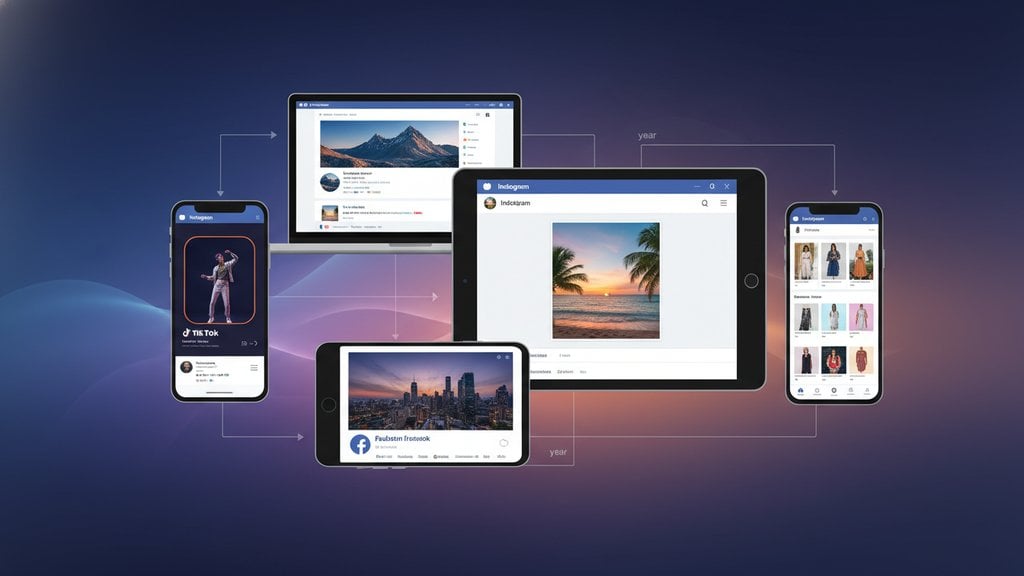
Knowing how to optimize images for social media means more than just shrinking a file. It means matching the exact pixel dimensions each platform expects, choosing the right file format, and compressing smart enough that your image loads fast without looking blurry or cropped in the wrong place. Get it right and your posts look polished everywhere. Get it wrong and Instagram crops your face out, LinkedIn stretches your logo, and Twitter serves a pixelated thumbnail to half your audience.
Content Table
Why Image Specs Still Matter in 2026
Every major platform re-encodes your uploaded image on their own servers. That means even a perfectly sized photo gets compressed again by Instagram, Facebook, or LinkedIn before it reaches a viewer's feed. If you upload an oversized, poorly formatted file, you are stacking two rounds of compression on top of each other, and quality drops fast. Uploading the right size, in the right format, at the right file weight gives the platform's algorithm less to destroy.
Platform specs also shift. Facebook updated its recommended post image ratio in late 2024, and LinkedIn changed its article cover dimensions. The table below reflects the current specs as of 2026.
Social Media Image Dimensions by Platform
These are the recommended pixel sizes for the most common post types. "Safe zone" refers to the area guaranteed to be visible across all devices and feed layouts without cropping.
| Platform | Post Type | Recommended Size | Aspect Ratio | Max File Size |
|---|---|---|---|---|
| Square post | 1080 x 1080 px | 1:1 | 8 MB | |
| Portrait post | 1080 x 1350 px | 4:5 | 8 MB | |
| Stories / Reels cover | 1080 x 1920 px | 9:16 | 8 MB | |
| Feed image | 1200 x 630 px | 1.91:1 | 10 MB | |
| Cover photo | 851 x 315 px | 2.7:1 | 100 KB recommended | |
| Event cover | 1200 x 628 px | 1.91:1 | 10 MB | |
| X (Twitter) | In-stream image | 1600 x 900 px | 16:9 | 5 MB (JPG/PNG) |
| X (Twitter) | Profile header | 1500 x 500 px | 3:1 | 5 MB |
| Shared image | 1200 x 627 px | 1.91:1 | 5 MB | |
| Company cover | 1128 x 191 px | ~5.9:1 | 4 MB | |
| Article cover | 1920 x 1080 px | 16:9 | 10 MB | |
| Standard pin | 1000 x 1500 px | 2:3 | 20 MB | |
| TikTok | Profile photo | 200 x 200 px | 1:1 | 2 MB |
| YouTube | Channel art (banner) | 2560 x 1440 px | 16:9 | 6 MB |
| YouTube | Thumbnail | 1280 x 720 px | 16:9 | 2 MB |
Best Format for Social Media Images
The format you choose affects both file size and visual quality. Here is how the main options stack up for social use:
- JPG (JPEG): The default for photos. Handles gradients and complex color beautifully. Lossy compression means some quality is permanently removed on each save, but at 80-85% quality the difference is invisible to most viewers. Use JPG for any photo-based content.
- PNG: Best for graphics, logos, screenshots, and anything with sharp edges, text, or transparent backgrounds. Files are larger than JPG, but PNG is lossless so edges stay crisp. Avoid uploading massive PNGs to Facebook or Instagram because their re-compression will still degrade them.
- GIF: Limited to 256 colors, so quality is poor for photos. Useful only for simple looping animations. Most platforms now prefer short MP4 videos over GIFs for animation.
- WebP: Smaller than JPG and PNG at equivalent quality. Not all social platforms accept WebP uploads directly (Instagram and Facebook currently reject it at upload), so convert to JPG or PNG first.
- AVIF / HEIC: Excellent compression efficiency but very limited platform support for direct upload. Convert to JPG before uploading to any social network.
For a deeper look at when each format actually makes sense, the ultimate guide to image formats covers every major option with real trade-offs.
How to Resize Images for Social Media
Resizing is not just scaling down. Cropping to the correct aspect ratio is the more important step, because a wrong ratio causes the platform to auto-crop in an unpredictable spot.
The general workflow:
- Identify the target ratio from the table above (e.g., 4:5 for an Instagram portrait post).
- Crop to that ratio first , centering on your subject. Do this before resizing so you control what gets cut.
- Resize to the recommended pixel dimensions (e.g., 1080 x 1350 px). Never upscale a small image to hit these numbers. Upscaling adds pixels by guessing, which makes photos look soft or blurry.
- Export at the right quality setting. For JPGs, 80-85% quality is the sweet spot. Higher adds file weight with no visible benefit; lower starts to show artifacts.
If you regularly work with images that started at low resolution, it is worth reading about resizing images without losing quality before you scale anything down for posting.
How to Compress Images for Social Media
Even when you hit the right dimensions, a 4 MB JPG will still get aggressively re-compressed by Facebook or Instagram. The trick is to compress it yourself first, on your own terms, so the platform's second pass has less damage to do.
Target file sizes before upload:
- Instagram feed posts: Under 1 MB (ideally 500-800 KB for a 1080 px wide image)
- Facebook feed images: Under 1 MB
- LinkedIn shared images: Under 1 MB
- Twitter/X in-stream images: Under 1 MB (platform limit is 5 MB, but smaller loads faster and re-compresses less)
- Pinterest pins: Under 3 MB
- YouTube thumbnails: Under 2 MB (platform limit)
When compressing, the choice between lossy and lossless methods matters. Lossy compression (used by JPG) permanently removes data to shrink the file. Lossless compression (used by PNG) reorganizes data without discarding anything. For social media photos, lossy is almost always the right call because the size savings are dramatic and the quality loss is invisible at 80%+ settings. The article on lossy vs. lossless compression explains exactly when each approach makes sense.
You can use our image compressor to reduce file size before uploading to any platform, without needing to install software.
Pro Tips for Sharper, Faster Social Images
A few habits that make a consistent difference:
- Use sRGB color space. All social platforms display images in sRGB. If you export from Lightroom or Photoshop in a wide-gamut profile like Adobe RGB or ProPhoto RGB, colors will look dull or shifted on screen. Always convert to sRGB before exporting.
- Keep text away from edges. Most platforms crop or overlay UI elements (buttons, captions, profile icons) over the edges of your image. Keep important text and logos within the central 80% of the frame.
- Avoid re-saving JPGs repeatedly. Every time you open and re-save a JPG, it loses quality. Work from the original raw or PNG file and export to JPG only once at the end.
- Test on mobile before posting. What looks fine on a 27-inch monitor often looks crowded or unreadable on a 6-inch phone screen. Preview your image at phone size before you publish.
-
Name your files descriptively.
While platforms strip metadata on upload, starting with a descriptive filename (e.g.,
product-launch-spring-2026.jpginstead ofIMG_4892.jpg) is a good habit that helps with organization and carries over when images are shared or downloaded by others. - Strip unnecessary metadata. EXIF data (GPS location, camera model, shooting settings) adds a few KB to every image and is stripped by most platforms anyway. Remove it before uploading for a slightly smaller file and better privacy.
For images that will also appear in search results or be embedded on web pages (not just social feeds), the broader principles in this image SEO guide are worth applying alongside your social media workflow.

Convert images to the right format before you post
When you need to optimize images for social media, getting the format right is half the battle. Use our free image converter to switch between JPG, PNG, WebP, and more so every platform gets exactly what it expects.
Convert Your Images Free →
Instagram will auto-crop or letterbox your image to fit one of its accepted ratios (1:1, 4:5, or 1.91:1). You have no control over where it crops, which often cuts off faces, text, or key parts of the composition. Always crop to your intended ratio before uploading so you decide what stays in frame.
Facebook re-compresses every uploaded image using its own algorithm. If your file is already large or saved at low quality, the second round of compression makes it noticeably worse. Upload images sized at 1200 x 630 px, exported as JPG at 80-85% quality, and under 1 MB. This gives Facebook less to compress and the result stays much sharper.
Use JPG for photos and any image with gradients or complex color. Use PNG for graphics, logos, screenshots, and anything with text or transparent backgrounds. PNG keeps edges crisp but creates larger files. If a PNG is over 1 MB before uploading, consider converting it to JPG (if it has no transparency) to reduce how aggressively the platform re-compresses it.
For in-stream post images, X (Twitter) recommends 1600 x 900 px at a 16:9 ratio. The platform displays a cropped preview in the timeline and shows the full image on click. Keep your main subject centered and avoid placing critical content at the very top or bottom edges, which get cropped in the feed preview.
Not ideally. Each platform has different feed layouts, aspect ratio requirements, and cropping behaviors. A 1200 x 630 px image works well for Facebook and LinkedIn but will be letterboxed on Instagram. If you need a single image for multiple platforms, 1080 x 1080 px (1:1 square) is the safest universal size since every major platform accepts it without cropping.
Indirectly, yes. Platforms prioritize fast-loading content, and a bloated image file can slow down how quickly your post renders, especially on mobile connections. More directly, oversized files trigger heavier platform re-compression, which reduces visual quality and can make your post look less professional. Keeping files under 1 MB at the correct dimensions avoids both problems.